 Capture Pro
Capture Pro / Guides
How to share a screenshot as a link, with no account
Attachments get squashed by chat apps, bounce off email size limits, and fill up people's phones. A link avoids all of that, as long as the person you send it to does not have to sign up for something just to look at it.
Sharing a link with Capture Pro
- Capture the page and make any notes you want in the editor.
- Black out anything private first. Redact found covers emails, phone numbers, card numbers and addresses in one click.
- Click Share link. The screenshot uploads and the link is copied for you.
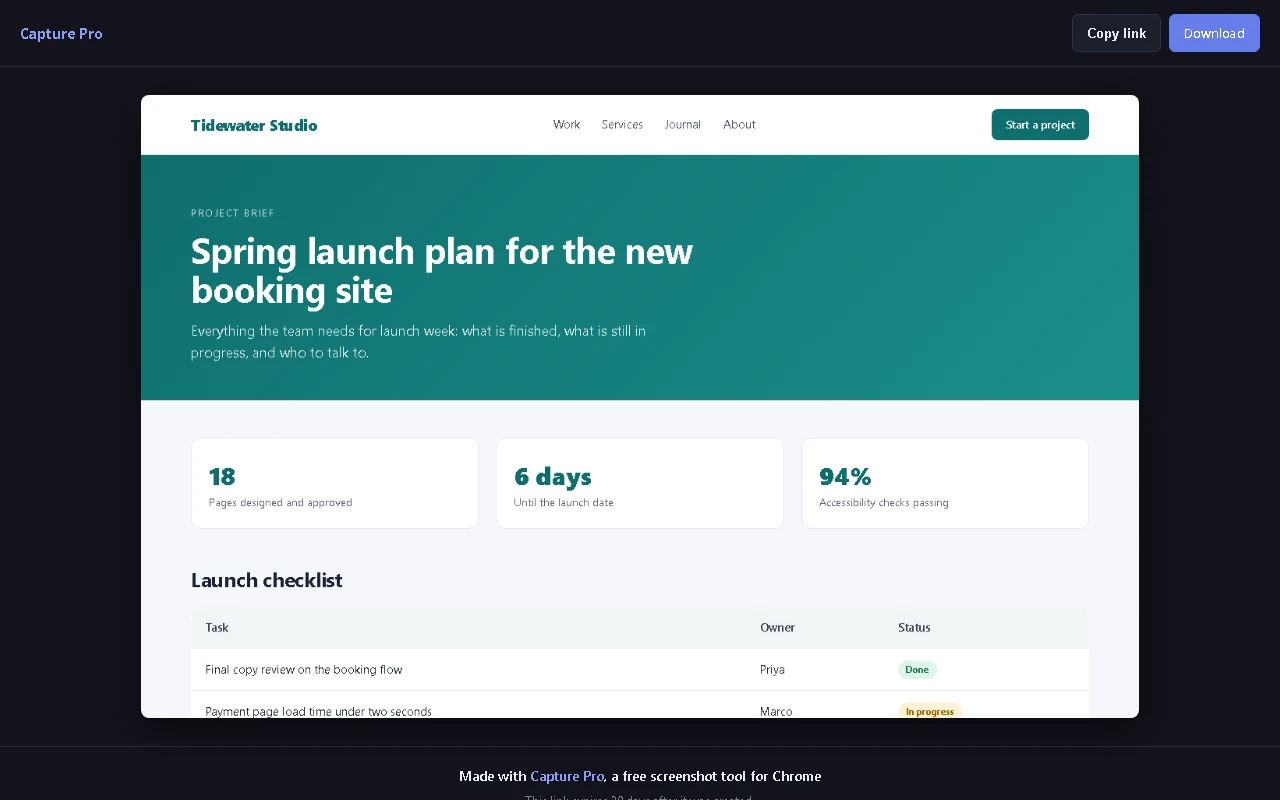
- Paste it wherever you like. Whoever opens it sees the screenshot in their browser, with a Download button. No account, no app, nothing to install.
what the other person sees
What happens to the image
- Anyone with the link can see it. Treat the link the way you would treat the image itself, and only send it to people you would send the image to.
- It deletes itself after 30 days. If you need one removed sooner, the help page has the address to ask.
- Search engines are asked not to list it. Share pages tell search engines not to index them.
- It previews in chat. Paste a link into a chat app and the screenshot shows as a preview.
- Nothing else is uploaded. Capturing, editing, copying and saving all stay on your device. Only the screenshot you choose to share leaves it. The privacy policy names the services that store and serve it.
Share links are the Pro part
Everything else in Capture Pro is free, with no daily limit. Share links are Pro, because they are stored online and cost money to run. It is a single payment of A$3.99, with no subscription.
Start with the free version
Capture, edit and redact for free. Add share links whenever you want them.
Add to Chrome